Introduction
WordPress is a free and open-source Content Management System (CMS) that allows you to easily create, design, and manage websites, blogs, or online stores. Since its launch in 2003, WordPress has grown to become the most widely used platform for website building. Today, over 40% of all websites on the internet are powered by WordPress.
?Why Is WordPress So Popular
There are many reasons behind WordPress’s global popularity:
Free & Open-Source: It’s completely free to use and highly customizable.
User-Friendly: An intuitive interface makes it accessible even for beginners.
Extensive Support: A large community, tons of tutorials, themes, and plugins.
Highly Flexible: Suitable for everything from blogs to full e-commerce platforms.

Key Features of WordPress
Quick Installation: WordPress can be installed in under 5 minutes.
Regular Updates: Security and performance updates are released frequently.
Plugin Support: 60,000+ free plugins available to add features.
Theme Variety: Thousands of free and premium themes to choose from.
SEO-Friendly: Built with SEO in mind and supports popular SEO plugins.
Mobile Responsive: Most themes are optimized for mobile and tablets.
How WordPress Works
WordPress is made up of two main parts:
Front-End: What visitors see and interact with on the website.
Back-End (Dashboard/Admin): Where you manage content, plugins, users, and settings.
It’s built primarily with PHP and uses MySQL for database management.
Plugins in WordPress
Plugins allow you to extend your website’s functionality. Popular plugin types include:
Contact Forms (e.g., Contact Form 7)
SEO Tools (e.g., Yoast SEO, Rank Math)
E-commerce (e.g., WooCommerce)
Security (e.g., Wordfence)
Performance (e.g., WP Rocket, W3 Total Cache)
Installing plugins is easy and most come with user-friendly settings.
Themes and Design in WordPress
Themes control the design and layout of your site. You can use pre-made themes or create your own. Page builders like Elementor, WPBakery, and Gutenberg allow you to design pages visually without any coding.
Elementor, for example, lets you drag and drop sections like headers, footers, sliders, and contact forms into your design with ease.

What Kind of Websites Can You Build with WordPress?
WordPress is versatile and suitable for almost any kind of website, including:
Personal blogs
Business websites
Online stores
News or magazine portals
Portfolios
Educational or course websites
Website Security in WordPress
Security depends on various factors:
Using a reliable web host
Regularly updating themes, plugins, and core files
Installing security plugins
Using strong passwords and limiting login attempts
Avoid downloading themes or plugins from untrusted sources to prevent malware or vulnerabilities.
Pros and Cons of WordPress
Pros:
Free and highly customizable
Large support community
Wide range of plugins and themes
Suitable for various website types
Cons:
Requires regular maintenance
Can become slow if not optimized
Relies on third-party plugins for many features
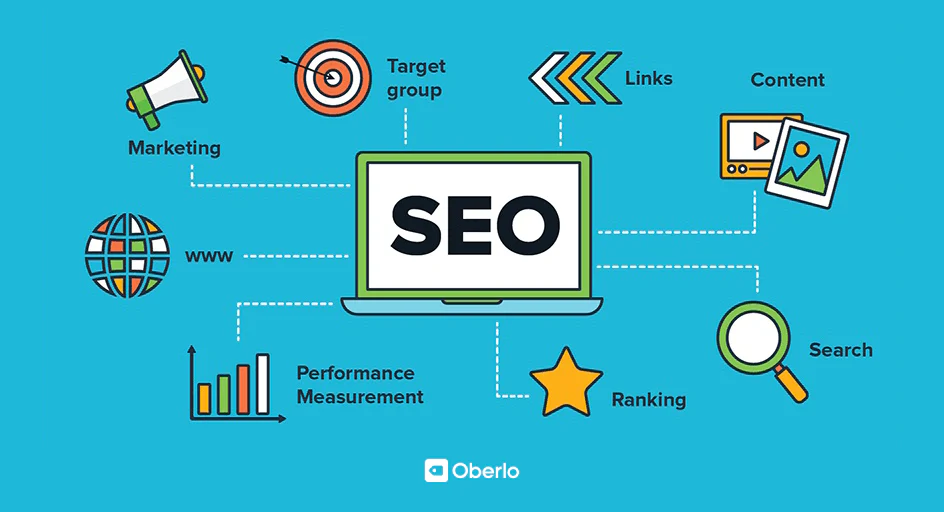
WordPress and SEO
WordPress is inherently SEO-friendly. With plugins like Yoast SEO or Rank Math, you can:
Manage meta titles and descriptions
Create XML sitemaps
Handle redirects and canonical URLs
Optimize content for target keywords
Customizing URL structures (permalinks) is also simple and SEO-optimized.
Tips for Building Better WordPress Websites
Use lightweight, optimized themes
Compress images before uploading
Install only essential plugins
Use caching and a CDN for better speed
Ensure mobile responsiveness
Prioritize security and regular backups
